Superfonik: Kids Learn to Read
Play PiknikEducational
3.929.00 Reviews
- Version
- 2.0.0
- Installs
- 100.00K
- Age Rating
- Everyone
Screenshots

Our Review of Superfonik: Kids Learn to Read
 Analysis by Appyee
I’d treat Superfonik: Kids Learn to Read as a playful starting point for early reading practice, not as a substitute for a grown-up reading with a child. Its appeal is the mix of phonics and game-like activities: children can spend time noticing sounds and letters without every session feeling like a worksheet. That makes it a promising fit for short, low-pressure practice at home, especially when a child is curious about words but not yet ready to sit through a formal lesson.
That distinction matters. A learning game can make repetition easier to accept, but reading also grows through conversation, books, and patient help when a child gets stuck. I’d use this as one small part of a routine, and pay attention to whether the child is actually becoming more confident with sounds rather than simply enjoying the screen. The best result is when a game gives you a useful prompt to continue learning together.
What the phonics approach can offer
Phonics asks children to connect spoken sounds with written letters and combinations. That is a concrete skill they can revisit in many forms: hearing a sound, spotting its letter, blending sounds into a word, and trying that word in a sentence. Superfonik is an educational game from Play Piknik, and its focus on learning to read gives it a more specific purpose than a general collection of children’s mini-games.
The distinction is useful when choosing an app. If a child already likes tapping through activities but loses interest in a plain alphabet chart, a game-based format may offer a more inviting route into practice. If they need an adult to explain every new idea, though, the app should sit alongside that guidance rather than replace it. Children develop at different paces, and a cheerful activity can’t tell you by itself whether a child has understood a sound or guessed correctly.
Engaging Learning Experience
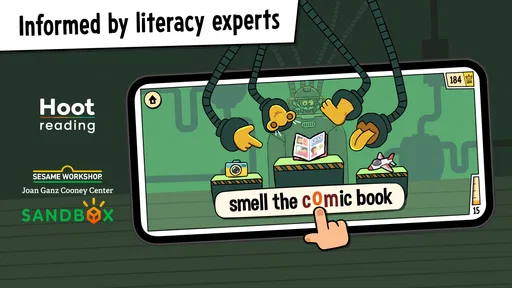
First off, the moment you launch Superfonik: Kids Learn to Read, you're greeted with vibrant colors and cheerful characters that are sure to captivate any child's attention. The app is structured around phonics-based learning, which is a tried-and-true method for teaching reading. It cleverly combines visual and auditory elements to make the learning process more effective.
Interactive Games and Activities
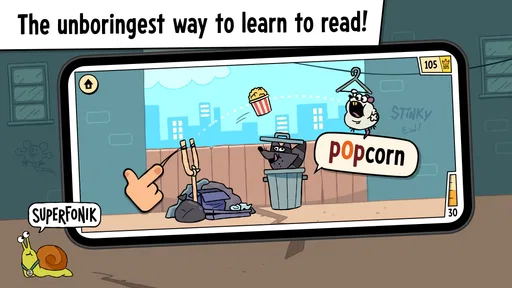
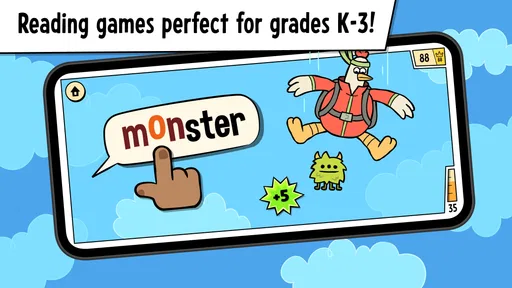
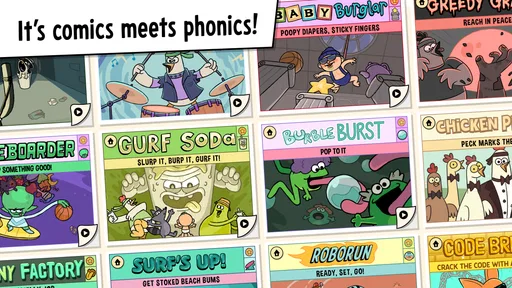
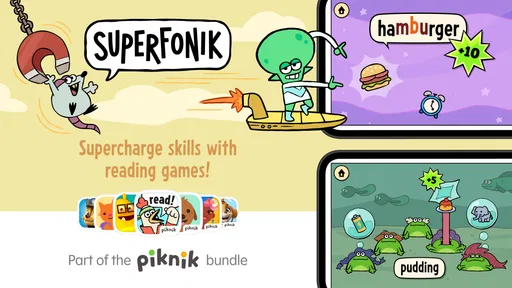
What I love most about this app is its array of interactive games and activities. These are not just random games; they're thoughtfully designed to reinforce phonics skills. Kids can match sounds with letters, build words, and even practice reading short sentences. The app keeps things fresh by offering various activities, so it never feels repetitive or boring.
Making a short session count
I’d avoid turning the activities into a long test. A more useful approach is to let a child try a small amount, then ask them to say the sound or word aloud and connect it to something nearby. If a game involves building a word, for example, you can invite them to look for that letter on a book cover or a familiar sign afterward. This simple bridge from screen to real life helps you see whether the activity is supporting recognition, rather than just tapping speed.
A realistic routine might be a brief turn after breakfast or while waiting for dinner, followed by a picture book or a conversation about one word the child noticed. I wouldn’t insist on a session when a child is tired or frustrated; stopping while it still feels enjoyable is often better than pushing through. The game’s variety can help maintain interest, but a child who wants the same activity repeatedly may still benefit from repetition before moving on.
User-Friendly Interface
The user interface is incredibly intuitive, which is a huge plus. Even young kids can navigate through the app without much help. The developers have done a fantastic job ensuring that everything is straightforward, with clear instructions and easy-to-reach menus. This means less frustration for both kids and parents!
Where it fits among reading tools
Compared with alphabet videos or flashcards, an interactive game asks a child to respond, which can make practice feel more active. Compared with a parent-led lesson or a printed phonics workbook, however, it offers less room for an adult to adjust an explanation on the spot. I see those options as complements rather than rivals: Superfonik can make a short practice session inviting, while a book and a patient adult provide context, conversation, and a chance to pause whenever a child needs help.
If you’re choosing between this and a broad educational app, the deciding question is whether reading practice is the main goal. A focused phonics game is easier to fit into a specific routine than a large menu of unrelated activities, but it may not suit a child who wants drawing, open-ended play, or a wider range of subjects. For those needs, a general learning app or hands-on activity may be a better match.
Progress Tracking
Another standout feature is the progress tracking system. Parents can easily monitor how their child is doing with a detailed breakdown of their progress. This feature helps in identifying areas where the child may need extra practice, allowing you to tailor the learning experience to suit their needs.
Using progress as a conversation starter
I’d treat progress information as a clue, not a verdict on a child’s reading ability. If a child seems comfortable with one kind of activity but struggles when sounds are used in a new word, that is a useful reason to slow down and practise together. A parent can ask the child to explain what they heard, rather than simply repeating the game, and then decide whether another turn would help or whether it is time to stop.
This is also where an adult’s attention makes the experience more valuable. A progress display may help you notice a pattern, but it cannot replace listening to the child read aloud or seeing how they handle a book. I’d use it to guide the next small step, not to compare siblings or set a target that turns play into pressure.
Ad-Free and Safe
For parents, one of the main concerns with apps is safety. Rest assured, Superfonik: Kids Learn to Read is ad-free, which means no pesky interruptions or accidental clicks. The app is designed with kids' safety in mind, offering a secure environment where they can learn and play without any worries.
Practical details for families
The game is free to download and is rated for Everyone. Its average rating is 4.2 from 83 ratings, with 11 written reviews, and it has passed 50K installs. Those figures suggest that families have tried it, but I wouldn’t use popularity as a stand-in for fit: what matters is whether the activities match a particular child’s stage and temperament.
It was released on January 5, 2026, and the current version is 1.2. The minimum operating-system requirement is 7.0, a detail worth checking before setting it up on an older device. There are in-app purchases ranging from $7.99 to $79.99 per item, so although getting started is free, I’d review purchase settings with a child before handing over the device. That small bit of preparation can prevent an unexpected request or purchase during independent play.
The age label is broad, but that doesn’t mean every young learner will find the same parts comfortable or challenging. A child who is just beginning to notice letters may need an adult nearby to connect game sounds with familiar words. A child who already reads simple text may want something with more advanced material. I’d judge the fit by watching how the child responds, rather than assuming an age rating determines readiness.
Who is most likely to enjoy it?
I’d recommend giving it a try if you want a child to have a focused, game-like way to practise early reading and you’re happy to stay involved. It seems especially suitable for families looking for a short activity between shared reading sessions, or for a child who is more willing to explore sounds when the task feels playful. The presence of varied activities can also help when one format loses its appeal, though it won’t guarantee that every child enjoys every session.
I’d skip it, or at least keep expectations modest, if you need a complete reading curriculum, a replacement for a teacher, or an app that keeps a child occupied without supervision. It may also be the wrong choice for a child who is easily overstimulated by bright presentation or who prefers physical books and letter tiles. In those cases, a calm read-aloud, printed materials, or direct support from an educator may be more useful than another screen activity.
For a child who gets stuck, the most helpful response is not necessarily to tap through until the game moves on. Pause, say the sound together, and give them time to try again. If frustration keeps building, switch to a familiar book or finish for the day. That keeps the learning goal in view without making the app responsible for a child’s mood or progress.
Why Your Kids Will Love It
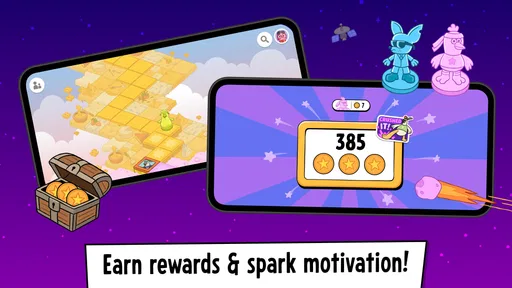
It's not just about learning; it's about having fun while doing it. The cheerful animations, catchy sounds, and rewarding feedback make each session enjoyable. Kids will love the sense of accomplishment they get from mastering new skills, and as a parent, you'll appreciate the educational value.
Customization Options
One feature that's particularly noteworthy is the level of customization available. You can adjust the difficulty level to match your child's reading ability, ensuring that they are always challenged but not overwhelmed. This adaptability makes the app suitable for a wide age range.
Keeping the challenge comfortable
I’d make changes to the difficulty only after watching how the child handles a few activities. If they answer quickly but cannot explain the sound or repeat it outside the game, a harder setting may add pressure without adding understanding. If they are consistently confident, increasing the challenge can help keep practice engaging. The useful middle ground is a task that invites effort but still leaves the child feeling capable.
Customization is most helpful when it responds to a real observation, not when it is adjusted simply to make progress look faster. Children can need different levels of help from one day to another, too. When a child is tired, choosing an easier activity—or stopping altogether—may be kinder and more productive than expecting the same performance every time.
Final Thoughts
In conclusion, Superfonik: Kids Learn to Read is a fantastic tool for any parent looking to boost their child's reading skills. It's engaging, educational, and user-friendly, making it a perfect addition to your digital library. So go ahead, give it a try, and watch your child's reading abilities soar!
My recommendation is a little more measured: I see it as a useful companion for early phonics practice, particularly when an adult can help connect what happens on screen to words in books and daily life. It is not a magic shortcut, and the in-app purchase range makes it sensible to check spending controls before a child plays independently. But for families who want a free starting point for playful reading practice and are willing to guide the routine, it is worth considering.
Verdict
Strengths of Superfonik: Kids Learn to Read
- Engaging phonics games for kids.
- Colorful, kid-friendly interface.
- Progress tracking for parents.
- No ads, safe environment.
- Offline mode available.
Limitations of Superfonik: Kids Learn to Read
- Limited free content available.
- Requires in-app purchases.
- No multilingual options.
- Some features need internet.
- Small learning curve for setup.
Other Releases by Play Piknik
View All
Toca Boca Jr: Fun Kids Games
Educational3.3

Toca Boca Hair Salon 4
Educational3.8

PAW Patrol Academy
Education3.5

Gabbys Dollhouse: Cat Games
Educational3.8
Similar Picks in This Category
View All
Little Panda Policeman
BabyBus4.0

Monster Trucks Game for Kids 2
Raz Games4.1

Little Panda's Chinese Recipes
BabyBus4.4

Little Panda's Restaurant
BabyBus4.4

Little Panda's Ice Cream Games
BabyBus4.3

Baby Panda Care
BabyBus3.8
Frequently Asked Questions
What is Superfonik: Kids Learn to Read?
Superfonik: Kids Learn to Read is an educational app designed to help young children develop their reading skills. It offers a variety of interactive activities and games that focus on phonics, vocabulary building, and reading comprehension. The app is user-friendly and features colorful graphics to engage children effectively.
Is Superfonik suitable for all reading levels?
Superfonik is primarily designed for early readers, typically aged 3 to 7 years old. It covers foundational reading skills such as phonics and basic vocabulary. The app adjusts to different learning paces, making it suitable for children just starting to read as well as those who need to reinforce their skills.
Does the app require an internet connection?
Superfonik: Kids Learn to Read can be used without an internet connection once it is fully downloaded. This allows children to access its features and educational content offline, making it ideal for use in various settings, such as during travel or in areas with limited connectivity.
Are there in-app purchases or ads in Superfonik?
Superfonik offers a free version with basic features, but there are in-app purchases available to unlock additional content and activities. The app is free from ads, ensuring a safe and uninterrupted learning experience for children. Parents can choose to upgrade for more comprehensive learning modules.
How do I track my child's progress on the app?
Superfonik includes a parental dashboard where you can monitor your child's learning progress. It provides insights into the areas your child excels in and those that may need more attention. This feature helps parents stay informed and support their child's reading journey effectively.
Play our best games!


